Managing Transfer Reservations: Booking, Adding, and Fixing Them

Add a transfer to an existing itinerary through your booking account’s “add options” tab, or book a separate managed transfer with flight-aware tracking if you need guaranteed reliability. For travelers who want a fixed price and a driver watching their actual landing time rather than a scheduled one, a managed provider like Zont removes the guesswork entirely.
- Individual travelers: Open your reservation, check for an “add options” or “add transfer” tab, and enter your flight number.
- Corporate planners: Use a centralized account with book-on-behalf permissions so every ride lands on one invoice.
A transfer booked without flight tracking is a car booked for a time, not a passenger. That distinction shows up the moment a flight lands 40 minutes late and nobody adjusted the pickup.
Key Takeaways
Reliable transfer reservation management depends on flight-aware scheduling, complete traveler details entered upfront, and centralized corporate controls that keep every booking on one invoice.
| Point | Details |
|---|---|
| Gather details first | Flight number, terminal, passenger count, and destination address prevent most day-of problems. |
| Use the add-options flow | Check your booking account’s add-options tab before booking a separate transfer. |
| Corporate accounts need policy defaults | Set vehicle-class rules, approval thresholds, and audit trails to cut reconciliation time. |
| Flight tracking is the differentiator | Systems that monitor your flight adjust pickup times automatically instead of leaving you to call. |
| Zont covers the full workflow | Flight tracking, meet & greet, and fixed pricing across 120+ European cities with 24/7 support. |
Table of Contents
- What Information Do You Need Before Booking a Transfer?
- How Do You Book an Individual Airport Transfer Step by Step?
- How Do You Add a Transfer to an Existing Reservation?
- What Should a Corporate Transfer Booking Workflow Include?
- What Technology Should a Transfer Provider Use?
- How Do You Modify, Cancel, or Troubleshoot a Transfer?
- How Does Zont Handle Reservation Management for You?
- What the Industry Gets Wrong About Transfer Management
- Book a Transfer That Actually Tracks Your Flight
- Frequently Asked Questions
- Sources
What Information Do You Need Before Booking a Transfer?
Reservation management goes smoother when you gather the right details before you open a booking form. Missing a single field, like the flight number, is the most common reason pickups go wrong.
- Flight number — this is what lets a provider’s system track your actual arrival time instead of the scheduled one, and it’s the single most important field in the whole process.
- Terminal and airport code — large airports have multiple terminals with different pickup zones, and getting this wrong adds real walking time.
- Passenger and luggage count — determines vehicle size; a sedan won’t work for four people with ski bags.
- Destination address — full address, not just a neighborhood or hotel name, to avoid dispatch delays.
- Special requirements — child seats, wheelchair access, or extra stops, noted at booking rather than mentioned to the driver on arrival.
- Corporate fields — cost-center code, internal booking reference, and a named contact person, all of which make reconciliation possible later.
How Do You Book an Individual Airport Transfer Step by Step?
The actual booking flow for a personal transfer takes about five minutes once you have your flight details in hand. Here’s the sequence most providers use.
- Enter your route and flight number. Input pickup and drop-off locations, your date, and critically, your flight number. This single entry is what triggers flight-aware scheduling.
- Choose your vehicle class and options. Sedan, premium sedan, or a minivan for families and groups. Add meet & greet if you want a named driver holding a sign inside the terminal rather than waiting curbside.
- Review pricing and pay. A fixed, transparent price should appear before you enter payment details, with no surprise add-ons at the end.
- Confirm your voucher. You’ll receive a confirmation with your driver’s contact information, vehicle details, and pickup instructions, usually by email and app notification.
Meet & greet and curb pickup are not the same service, and mixing them up causes most day-of confusion. Meet & greet means your driver is inside the terminal, often past customs, holding a sign with your name. Curb pickup means you walk out and find the vehicle yourself, usually with a short text exchange to coordinate. Standard wait-time policies typically allow 60 minutes of free waiting for international arrivals and 15 to 30 minutes for domestic flights before additional charges apply, though this varies by operator.
Once you land, check your voucher or app for a live tracking link. That link shows your driver’s real-time location and estimated time to your pickup point, which saves you from calling anyone.
Pro Tip: Screenshot your driver’s phone number before you land, in case you lose signal or the app doesn’t load right away in an unfamiliar terminal.
How Do You Add a Transfer to an Existing Reservation?
If you’ve already booked a flight, hotel, or package and want to add ground transport, start inside your existing booking rather than opening a new one.
- Open your booking detail page or member dashboard and look for an “Add options” or “Add services” tab, a pattern common across travel booking platforms.
- If a transfer option exists in your account, it typically appears there, tied to your existing dates and traveler count.
- If the option isn’t shown, your package likely doesn’t support add-on transfers. In that case, book externally and paste your original booking reference or PNR into the special instructions field so the operator can link the two.
- For billing, always request that the transfer invoice reference your original booking number. This one habit saves finance teams hours during monthly reconciliation.
What Should a Corporate Transfer Booking Workflow Include?
Managing transfers for a company means managing dozens or hundreds of individual bookings without losing visibility. The framework worth adopting has four parts.
- Account structure with role permissions. Assistants or travel coordinators should have “book-for” access so they can arrange rides for executives without sharing login credentials.
- Policy defaults. Set vehicle-class rules by traveler seniority, auto-approve bookings under a set cost threshold, and flag anything outside standard hours for manual review.
- Reporting and reconciliation tools. Consolidated monthly invoicing, CSV or API export, and an audit trail matter more than the per-ride rate. Buyer guidance consistently points to layered features across booking, dispatch, policy, and finance integration as the real differentiator between providers.
- Operational SLAs. Require a 24/7 operations desk, flight tracking on every ride, and a named dispatcher who can be reached directly during a disruption, not just a general support inbox.
Decentralized booking, where different employees use different apps or personal accounts, creates the exact reconciliation headache finance teams dread at month end. A corporate account with defined policy controls closes that gap before it opens.
Pro Tip: Ask any prospective provider to run a two-week pilot covering both arrivals and departures on the same invoice before signing a full contract. On-time performance at your specific home airports tells you more than any sales deck.
What Technology Should a Transfer Provider Use?
Flight-aware scheduling is the feature that separates a reliable transfer from a hopeful guess. The moment you enter a flight number, the system begins monitoring that flight against live airline data.
That single input changes everything downstream. It recalculates the pickup window automatically when a flight is delayed, reassigns the driver’s departure time so they arrive at the terminal at the right moment instead of too early or too late, and pushes automated delay notifications to both driver and passenger.
Procurement teams and individual travelers alike should require:
- Terminal-aware pickup points that adjust automatically if your flight changes gates or terminals.
- Wait-time billing rules stated clearly upfront, not buried in fine print.
- Driver assignment logic that accounts for traffic and current flight status, not a fixed schedule set days in advance.
- Real-time tracking for both the traveler and any corporate admin monitoring the trip.
These features reduce administrative burden considerably: fewer rebooking calls, fewer missed pickups, fewer disputed invoices. A flight-tracking system built around this exact workflow is what most buyer guides now treat as a baseline requirement rather than a premium add-on.
How Do You Modify, Cancel, or Troubleshoot a Transfer?
Most providers publish cancellation windows on the confirmation voucher, and they’re worth reading before you need them, not after.
- Check your modification and cancellation windows. Many providers allow free changes up to 24 hours before pickup, with a partial fee inside that window and full charge for a no-show.
- If your flight delays or diverts, first confirm the provider’s system has registered the update through its flight-tracking feed. A genuinely managed service adjusts automatically rather than requiring you to call and reschedule.
- If your driver isn’t visible on arrival, open your live tracking link first. If that doesn’t resolve it within a few minutes, call the operator’s dispatch line directly and reference your booking number immediately. For common delay scenarios and how operators typically respond, knowing the escalation path in advance saves time under pressure.
How Does Zont Handle Reservation Management for You?
Zont builds every reservation around flight tracking from the moment you enter your flight number, so pickup times adjust automatically instead of leaving you stranded when a flight runs late.
- Named driver with meet & greet inside the terminal, not a stranger hunting for your name on a sign in the wrong zone.
- Fixed pricing shown before payment, with no wait-time surprises added afterward.
- Premium vehicles, including Mercedes sedans and minivans for families, matched to your actual passenger count.
- 24/7 support and coverage across more than 120 European cities.
That structure supports over 50,000 completed trips and a 4.5 star rating from verified TripAdvisor reviews, backing up the claim that flight-aware handling actually reduces missed pickups rather than just promising to.
What the Industry Gets Wrong About Transfer Management
Most advice on this topic treats transfer booking like hotel booking: pick a date, pick a room type, done. That comparison breaks down the moment you factor in flight variability, and it’s the reason so many corporate travel policies still measure providers by per-ride price instead of total cost of ownership.

The conventional wisdom undersells reconciliation pain. Travel managers obsess over negotiating a lower base fare, then lose the savings ten times over in staff hours spent matching mismatched invoices from three different booking channels.
The other blind spot is treating flight tracking as a nice-to-have feature rather than the entire point. A transfer booked against a scheduled arrival time, with no live monitoring, is a coin flip disguised as a service. Prioritize flight-aware scheduling and centralized reporting before anything else. Everything else, vehicle class, app polish, loyalty perks, is secondary to whether the system actually knows when your plane lands.
Book a Transfer That Actually Tracks Your Flight
If you’ve read this far, you already know the gap between a scheduled pickup and a flight-aware one. Zont Cab closes that gap by tracking your actual flight, not your booked departure time, and adjusting your driver’s schedule automatically when things change.
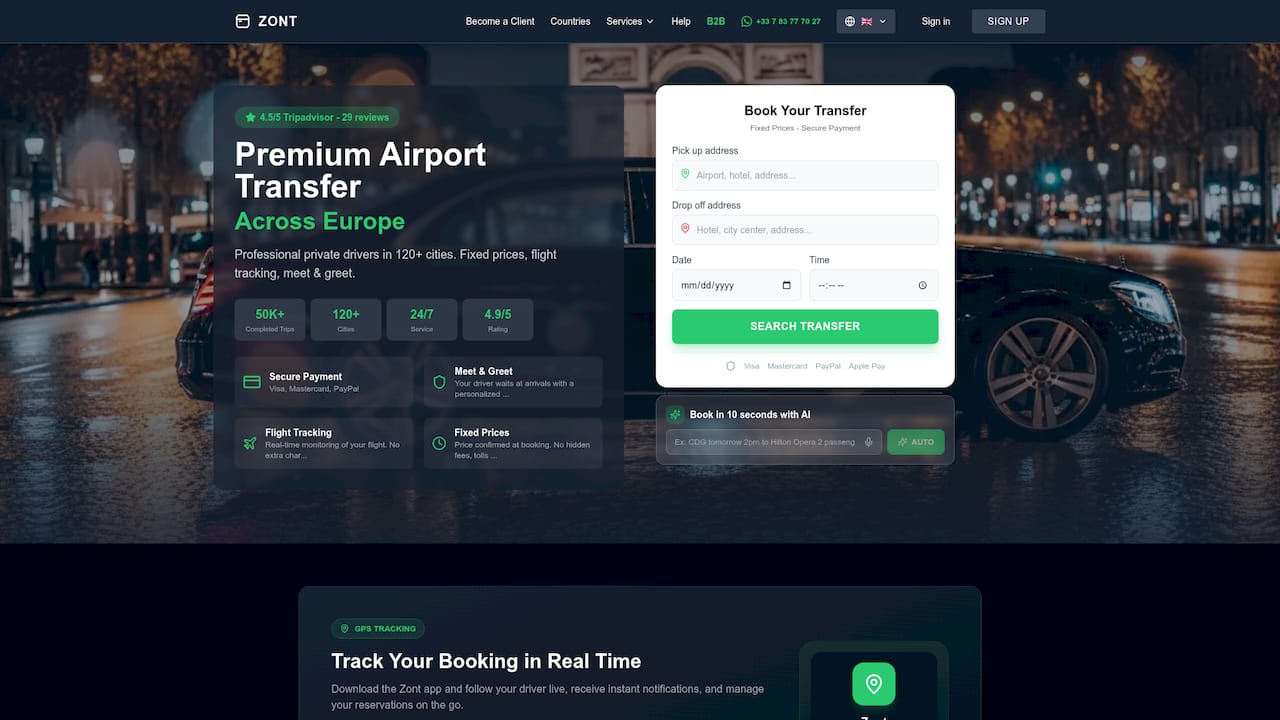
Individual travelers can book a transfer across more than 120 European destinations with fixed pricing shown before payment and a named driver waiting at meet & greet. Corporate travel planners get something more specific: a centralized account with book-on-behalf permissions, policy defaults, and consolidated invoicing built to eliminate the reconciliation mess that comes from staff booking rides across five different apps. If your team is still tracking ground transport spend in a shared spreadsheet, that’s the first problem worth fixing. Set up a corporate account or book your next individual transfer directly through Zont’s booking pages, and let the flight tracking handle the rest.
Frequently Asked Questions
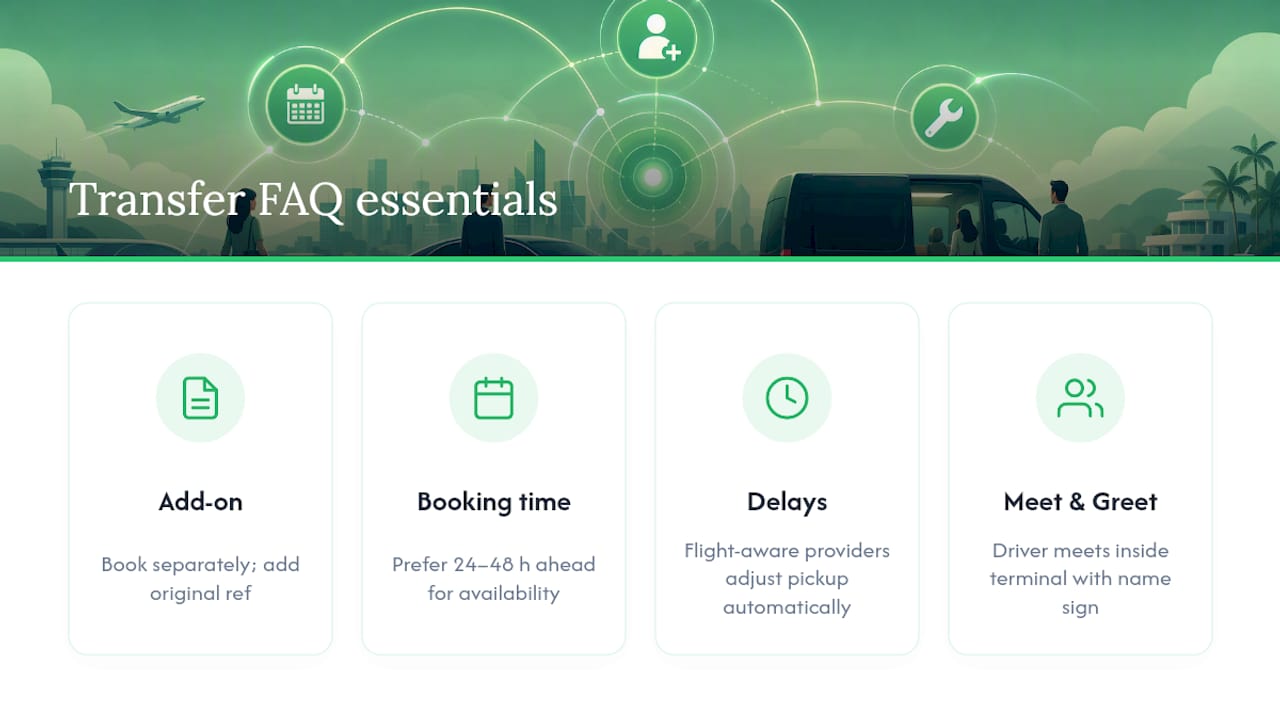
Can I add a transfer after I’ve already confirmed my flight and hotel? Yes. Check your booking account’s “add options” tab first. If the option isn’t available for your package, book the transfer separately and add your original booking reference to the notes so the operator can link the two for invoicing.
How far in advance should I book an airport transfer? Most providers accept bookings up to a few hours before pickup, but booking 24 to 48 hours ahead gives you better vehicle availability and time to correct any details, like a wrong terminal, before it matters.
What happens if my flight is delayed? A flight-aware provider tracks your flight automatically and adjusts your pickup time without you needing to call. Confirm this feature exists before booking, since not every provider offers it.
Is meet & greet worth the extra cost? For unfamiliar airports, international arrivals, or anyone traveling with heavy luggage, yes. A driver waiting inside the terminal with a name sign removes the stress of finding curb pickup in a crowded arrivals hall.
How do corporate accounts handle multiple travelers and cost centers? A centralized account lets an admin assign cost-center codes and booking references per traveler, so all rides land on one consolidated invoice instead of scattered receipts across expense reports.
Sources
LimoFlow on flight-aware workflows, Mobility InfoTech’s buyer guide, Voyage-Privé on adding transfers, and corporate travel terminology from a hospitality partner.
- How to Choose Airport Transfer Software for Your Business (2026 Buyer’s Guide)
- Airport Transfer Service: The Executive Travel Guide 2026 | MLR Worldwide Service
- Voyage-Privé help article — Can I add a transfer to my reservation?